
Here is a guide to test the OCR (Reading Power Levels) operation for Arena
Download the Latest version of HC Assistant
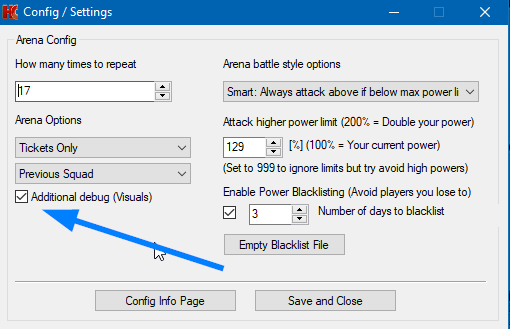
Enable the Arena Debug Option as shown in the screenshot below, then hit save
Start Arena using the bot. Let the bot run (or attempt to run) 1 full round then stop the bot. You can manually finish off the Arena tournament
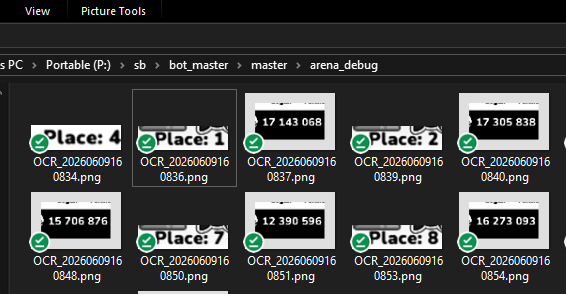
Open the folder where the bot is located and open the folder arena_debug – it should contain the processed images which is used for OCR. Like this:
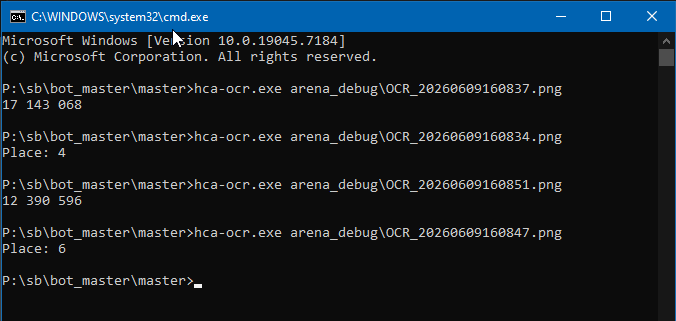
Assuming the images look ok and are readable, you can then open the Command Window from the Tools Menu, then type in the commands like below. The command should return the exact power shown in the image. Don’t forget to use the correct file names as in your folder. You only need to test several images. In general, it either works, or it doesn’t
After testing don’t forget to turn of the Arena Debug option or it will keep filling up with the processed images